Server-Driven UI: The Future of Android Development
In my last Android project, I was releasing 2–3 Play Store updates every week — mostly for small UI tweaks. Each change took hours or even days before users actually received the update due to the Play Store rollout process.
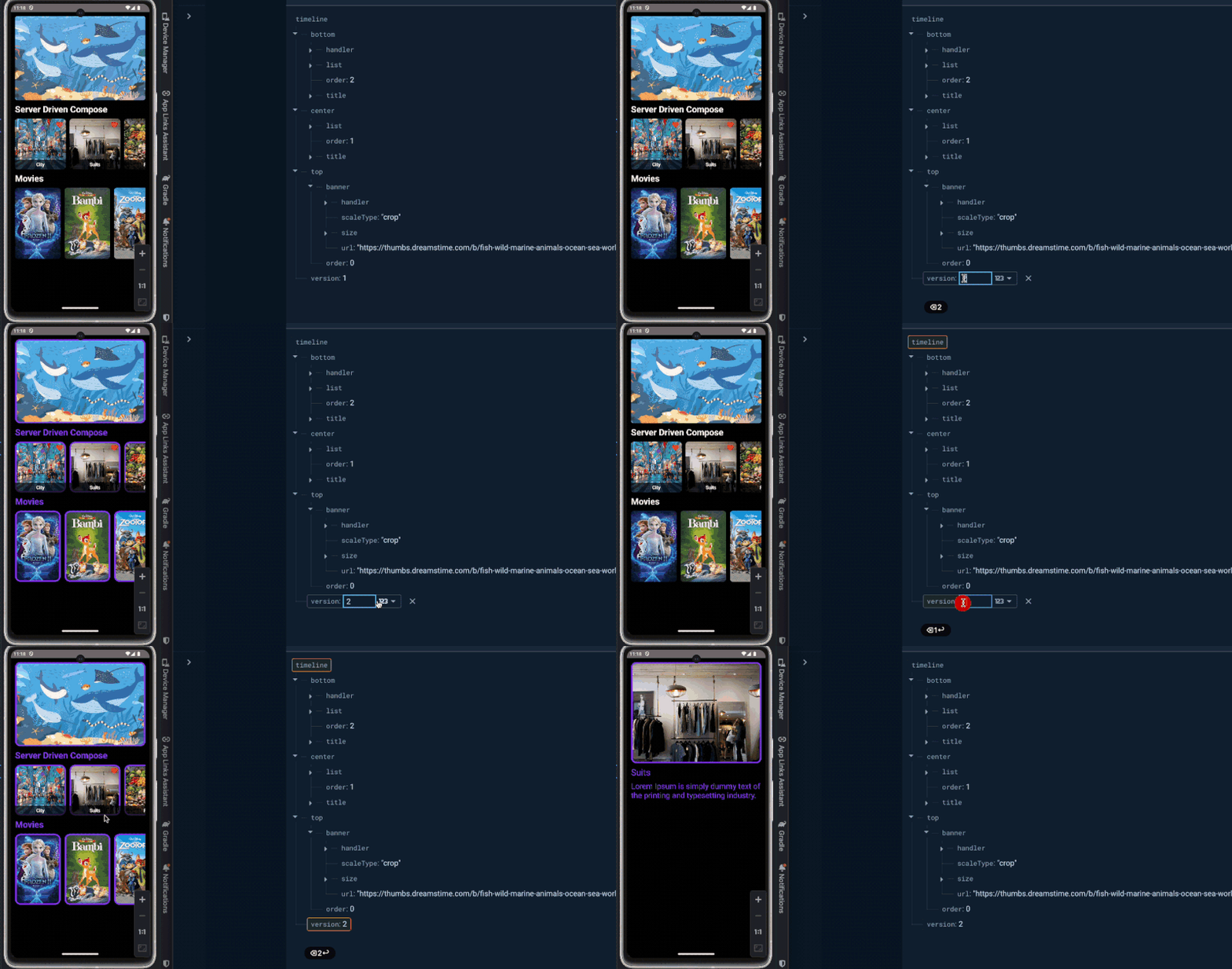
Recently, I came across Server-Driven UI (SDUI), which lets you define and control app layouts directly from the backend, removing the need for constant client updates. UI changes can go live instantly without waiting for a new release.
The Problem with Traditional UI Updates
Traditional Android development follows a rigid update cycle:
- Make UI changes in the codebase
- Build and test the app
- Submit to Play Store for review
- Wait for approval (can take hours to days)
- Gradual rollout to users
- Users must update their app
This process is time-consuming and frustrating, especially when you need to make quick fixes or A/B test different UI variations.
What is Server-Driven UI?
Server-Driven UI (SDUI) is an architectural pattern where the UI structure and content are defined on the server rather than hardcoded in the mobile app. The app receives JSON or similar data from the backend that describes what components to render and how to arrange them.
How It Works
Instead of building screens with hardcoded layouts, your app:
- Fetches a JSON configuration from your backend
- Parses the configuration to understand what UI components to display
- Dynamically renders the UI based on the server response
- Handles user interactions as defined by the server
Key Benefits of SDUI
1. No Waiting for Play Store Approvals
UI changes can go live instantly without waiting for a new release. Update your backend configuration, and all users see the changes immediately on their next app launch or screen refresh.
2. UI Changes Can Go Live Instantly
Need to fix a typo? Change a button color? Reorder components? Just update the server configuration and it's live in seconds, not days.
3. The App Becomes More Flexible and Maintainable
Your app becomes a rendering engine rather than a collection of hardcoded screens. This separation of concerns makes the codebase cleaner and easier to maintain.
4. Developers Spend More Time Building Features
Instead of constantly shipping patch updates for minor UI tweaks, developers can focus on building meaningful features and improving the core functionality.
Real-World Use Cases
- A/B Testing: Test different UI variations without multiple app releases
- Personalization: Show different layouts to different user segments
- Feature Flags: Enable or disable features remotely
- Emergency Updates: Quickly fix critical UI issues
- Seasonal Changes: Update themes and layouts for holidays or events
- Regional Variations: Show different content based on user location
Challenges to Consider
While SDUI offers many benefits, it's not without challenges:
- Complexity: Requires careful architecture and planning
- Performance: Need to handle JSON parsing and dynamic rendering efficiently
- Type Safety: Lose some compile-time safety with dynamic configurations
- Debugging: Can be harder to debug issues that depend on server responses
- Offline Support: Need to cache configurations for offline scenarios
Learning Resources
If you're an Android developer working with frequent UI iterations, SDUI is worth exploring. Check out this great example by Skydoves (Jaewoong Eum) — he demonstrates the concept really well:
Conclusion
Server-Driven UI represents a paradigm shift in how we think about mobile app development. By moving UI definitions to the server, we gain unprecedented flexibility and speed in delivering updates to users.
While it's not suitable for every app or every screen, SDUI shines in scenarios where you need rapid iteration, personalization, or frequent UI updates. I'm excited to experiment with this approach in future projects and see how it can improve both developer productivity and user experience.
Blog List